

There’s a moment most of us know well. You’re standing somewhere remarkable, ocean stretched out ahead of you or a city skyline lit up at night, and before you’ve even fully absorbed where you are, your phone is already out. Not to call someone. To photograph it, caption it, post it. The impulse feels natural, even compulsory. Sharing has become so woven into how we travel that the question of whether to post barely crosses our minds. Only the question of which filter does.
But security researchers, cybercrime analysts, and law enforcement officials have been paying close attention to that habit. And what they’ve found should give even the most enthusiastic vacation poster reason to pause. Not because sharing photos is inherently wrong, but because the timing of when you share them may be creating risks most people never consider.
The problems range from the obvious to the quietly technical. Some involve brazen opportunism. Others involve hidden data embedded in your photos that you didn’t know was there. And a few involve travel documents that, posted online with the best of intentions, hand criminals more access to your personal information than most people’s wallets do.
The Open-Door Problem: What Your Timeline Tells a Burglar
Let’s start with the most straightforward risk, because it’s also the most underestimated. When you post a vacation photo in real time, whether it’s a beach shot, an airport check-in, or a dinner table somewhere in Florence, you’re not just sharing a memory. You’re telling everyone who can see your account that you’re not home, and that information can be used to plan a burglary.
In 2024, there were 779,542 home burglary cases reported in the United States. Summer is the busiest season for them, particularly July and August, which also happens to be peak vacation time. According to the Bureau of Justice Statistics, home burglaries are more common in summer than at other times of year, partly because of increased vacation activity among homeowners, with the gap between summer and winter rates reaching as much as 11%.
The link between social media and burglary isn’t theoretical. Among 50 ex-burglars surveyed in the United Kingdom, 78% said that thieves monitor Facebook, Twitter, and Foursquare before targeting a specific house to rob. A separate survey by NBC New York sent questionnaires to 500 convicted burglars in New York and New Jersey. Several of those who responded said they had used social media to case targets, with more than 10% of the 57 respondents confirming they had logged on to find targets and identify the best times to strike.
The candid logic of one convicted burglar, quoted in that NBC survey, is hard to shake: “He’s got seven days to take whatever he wants, if you announce that you’re leaving on social media.”
What’s particularly important here is that you don’t have to have a public profile for this risk to apply. Burglars can get information from posts that your friends share. As one security official put it: “People think they’re putting pictures out there for their friends and family to see, and what you don’t realize is there are some settings out there that you might not be aware of. Other people could see that and see that you’re not home. If someone shares your photo, their friends could see it, and their friends could see it.”
Data shows that 72% of burglaries happen when nobody is at home. A vacation photo is, in effect, a confirmation broadcast to an unknown audience that your property is currently unoccupied.
The Hidden Data Problem: What Your Photos Carry Without You Knowing
Here’s where it gets more technically unsettling. Most people know that posting “we’re in Cancún for the week!” is an obvious signal. Fewer people know that even a photo with no caption, no location tag, and no obvious identifying information may still be broadcasting your precise coordinates.
When you take a picture with a smartphone, it doesn’t just capture the image. It often logs your precise GPS coordinates, the time it was taken, and sometimes even the device details. This data, known as geotagging, embeds geographical location information like latitude and longitude directly into your digital media. It’s typically collected automatically when you take a photo using a GPS-enabled device.
One way criminals use social media to target homes is by examining the EXIF data, which stands for exchangeable image file data, attached to photos. When a photo is taken with a digital camera or smartphone, the image file includes hidden data that typically includes the camera name, the date and time, and possibly the GPS coordinates of where it was taken. Burglars can use this information to confirm someone is away from home.
The Yale University Cybersecurity team warns that the risk goes beyond burglary. Posting confirmation numbers for hotel reservations, airline tickets, and excursions is a goldmine for cybercriminals, who can take the data and manipulate it to their advantage.
A 2025 study by Kaspersky, one of the most prominent names in cybersecurity, found that over 90% of smartphone users are unaware that photos they share online may contain geotagged metadata. That’s nearly universal ignorance about a vulnerability that’s baked into almost every photo taken on a modern phone.
GPS metadata can be used to track your movements over time. When combined with multiple photos, it creates a detailed map of your daily activities, favorite locations, and travel patterns. Over the course of a week-long vacation, a series of seemingly innocent posts, breakfast at a café, a museum visit, a sunset at the beach, can provide anyone watching with a real-time itinerary that also confirms, photo by photo, that your home has been empty for days.
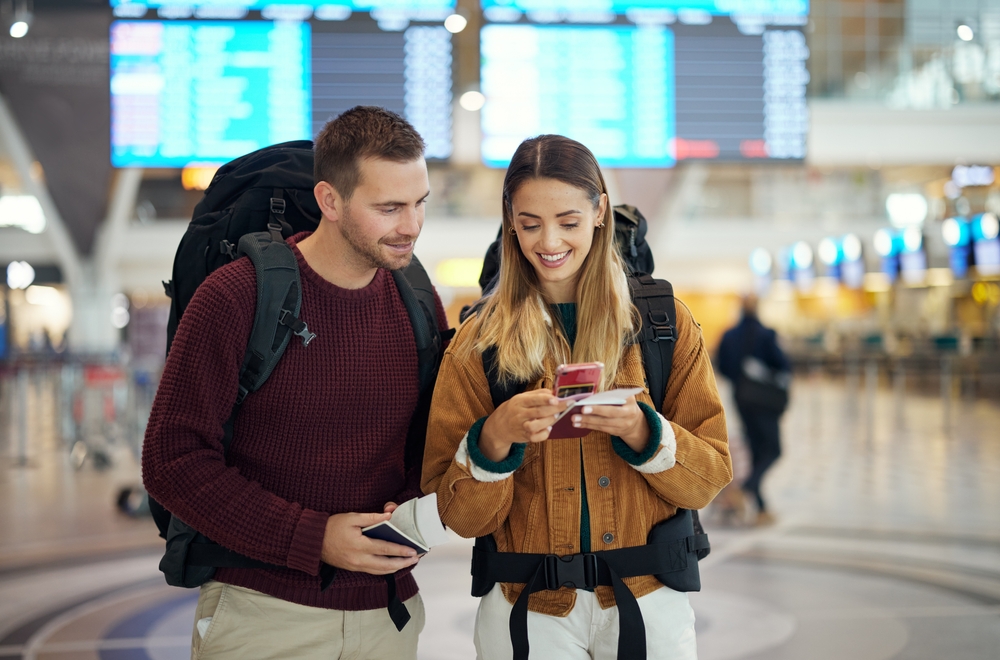
If you share shots of your home, your workplace, or other sensitive locations, geotags can reveal these locations. This often happens unnoticed, especially on social media, where the casual nature of sharing can mask the potential for data aggregation, allowing attackers to piece together a user’s everyday life.
The practical step here is straightforward: before your next trip, go into your phone’s settings and turn off location services for your camera app. It takes about 30 seconds and removes the embedded coordinates from every photo you take going forward.
The Boarding Pass Trap: A Snapshot That Hands Over Your Identity
Of all the travel-related things people post online, the boarding pass selfie may be the single most dangerous. It’s become almost a travel ritual, proof of departure, documentation of a real trip, social currency. But security experts are unequivocal about what it actually represents.
At first glance, a boarding pass appears to display only basic flight information: your name, flight number, departure time, seat assignment, and destination. However, the barcode or QR code on a boarding pass is a data goldmine that contains significantly more information than meets the eye.
Aside from the obvious details like your name, flight number, and destination, boarding passes carry a barcode or QR code that holds sensitive data, including your frequent flyer number, itinerary details, and in some cases personal contact information. Having this data, an ill-intentioned individual could potentially access your airline account, view your future travel plans, alter or cancel your flights, and even reset account passwords.
McAfee has documented exactly how easy this exploitation is. Any boarding pass barcode can easily be scanned and evaluated with free tools, the kind anyone can download from an app store in under a minute. At one point, approximately 70,000 photos tagged #boardingpass were circulating on Instagram alone. Each one a potential doorway into someone’s travel account, personal information, and financial loyalty points.
A 2024 research paper published in the Partners Universal International Research Journal found that the main concerns come from barcodes and QR codes that synchronize to passenger name records containing passport, frequent flyer, and identification details, data that is perfect for identity theft, with financial assets also targeted through exposed loyalty program tiers.
There’s also the question of what happens when a booking number or cruise confirmation code ends up online. The type of exposure that boarding pass data creates isn’t abstract: using your airline customer account number, combined with your name, a hacker may be able to reset your password, steal your miles, change your seat assignments, or cancel flights entirely. That’s an entire vacation undone by one excited pre-departure photo.
The fix is simple. If you want to capture the airport moment, and there’s nothing wrong with that, photograph the departures board, your luggage, the gate view, or even a coffee. Just keep the barcode out of the frame entirely. The barcode alone may expose your name and booking reference, even if those details aren’t visible as text in the image.
The Privacy Cascade: Friends, Followers, and Unintended Audiences
Even travelers who are careful about what they personally post can be caught out by what their companions share. Research by ADT found that nine out of ten young adults are sharing information that could put their home at risk. Your caution doesn’t protect you from a travel companion who checks in at the airport, tags you in a beachside photo, or posts a group dinner snap with the restaurant’s location embedded.
A survey by insurance provider Assurant found that close to 40% of renters posted about their vacation escapades while they were still out of town, often without considering the downstream implications of those posts. The insurance industry’s perspective on this is notable: “It’s not their intention to announce that the apartment is vacant, but wait until you get home and reduce the risk of the wrong person finding out that you’re away.”
The privacy cascade doesn’t stop at your own followers. Criminals continuously search for public posts in which people announce their vacation plans and dates. When they discover an address is going to be unoccupied, they know they have time to gain entry and take whatever they can find. One documented case in Crawley, West Sussex, involved a burglary gang that used Facebook to establish friendly relationships with people specifically to learn their holiday plans. Once the homeowners left, the burglars struck. Over a four-month period, the gang targeted more than 12 homes while the owners were away.
This is worth sitting with for a moment. The gang didn’t hack anything or intercept any communications. They simply became “friends” with people online, read their public posts, and waited.
The Presence Problem: What You Lose When You’re Always Posting
Beyond the security risks, there’s a quieter cost that rarely makes the headlines. Stopping to photograph, caption, and post takes you out of the experience you’re trying to document. The moment you’re framing a shot for your followers, you’re no longer fully in it yourself.
Security professionals and psychologists have both noted this tension. Sharing photos when you return home is less immediately exciting than posting in real time, but it’s a lot safer, and you can still share all your vacation highlights. The memories don’t expire. The photos are just as good on day seven as they were on day one.
Marsh McLennan, one of the world’s leading risk advisory firms, notes that sharing and posting vacation pictures in real time shows everyone where you are through geotags and GPS locators, which alerts criminals and kidnappers to your location and puts your home, autos, and other property at risk of theft. They recommend the same core principle that security experts across the board endorse: wait until after your vacation to share pictures, minimizing the risk of becoming a target while away.
There’s something to be said, too, for the quality of the experience when you’re not constantly documenting it. A trip where you take photos freely but post them all at once when you get home looks identical to everyone else. But it feels fundamentally different from the inside, less performed, more lived.
What to Do Before You Post
The risks of real-time vacation posting aren’t hypothetical. They are documented, recurring, and preventable with a few straightforward adjustments to how you share.
The single most effective step is the simplest one: hold your photos until you’re home. While it’s nice to share your travels with friends and family, it’s best to wait until you return from your trip to share those memories. Nothing is lost by the delay. The photos don’t change, and the stories you tell around them are often richer for having time to settle. What you do preserve, by waiting, is the security of your home and the integrity of your personal data.
Before you leave for any trip, take three minutes to: turn off location services for your camera app; set all social media profiles to private rather than public; check your tagging settings so friends can’t automatically broadcast your location; and remove any photos already stored in your camera roll that contain embedded GPS data from sensitive locations like your home address. Most cell phones and digital cameras automatically embed GPS coordinates into every photo you take. This information identifies where you were when you took the picture and travels with your photos when you post them online.
When it comes to documents, the rule is absolute: never post a boarding pass, passport, or booking confirmation online, even partially. Blurring your name doesn’t make the image safe. The barcode alone may expose your name and booking reference to anyone with a free scanning app and a reason to look.
Burglars don’t need to lurk in the shadows anymore. They can find everything they need with a few clicks. The convenience of social media comes with real risks, and understanding those risks is the first step to protecting yourself. The good news is that the protective measures require no money, no special skills, and very little time. They just require knowing what’s actually at stake, and now you do.
AI Disclaimer: This article was created with the assistance of AI tools and reviewed by a human editor.